Zeno for Firms

More clients per bookkeeper. The final say stays with the firm.

Your staff can ask the AI to code card charges, match receipts and prepare bills for each client. They review the proposed entries together and leave out anything that needs more information. What you teach it about a client is still there next month, and for the next person who takes the client over.

First client free for 14 daysSet it up yourselfNo setup fee
A client’s month in one instruction“Code September for Ridgeline from the card feed and the receipts folder. Hold anything over $250 without a receipt.” The plan comes back with the exceptions marked.
Teach a client onceSave the coding you confirm as a rule for that client. A fact about the client sits beside the vendor it concerns. It survives staff turnover and a change of AI.
See every client that needs a personOne queue across the practice: plans waiting for approval, documents nobody has claimed, postings that failed, months not yet closed.
An example using a sample company

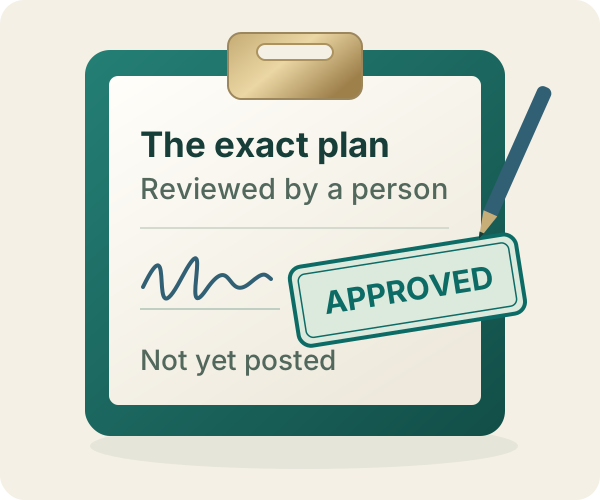
The AI prepares. Someone at the firm decides.

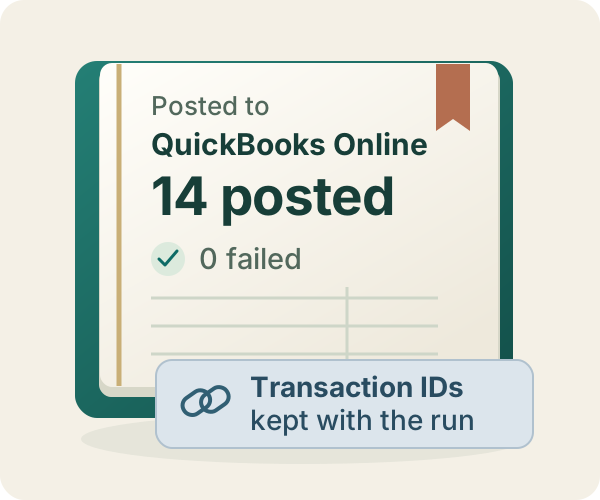
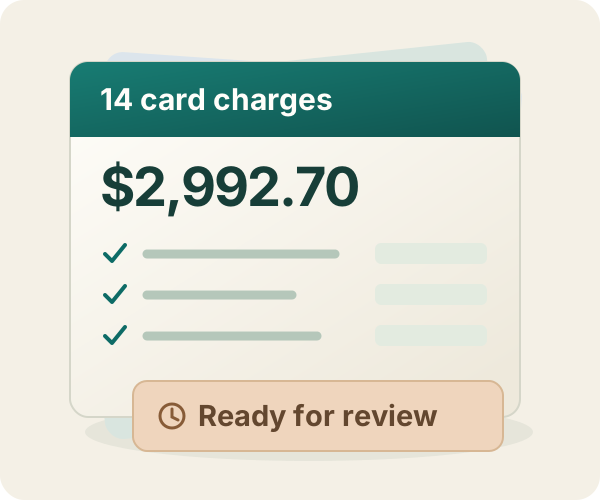
In this sample company, saved rules supplied the coding for 14 card charges. The reviewer checked the entries and approved $2,992.70 for posting to QuickBooks Online.

$2,992.70 posted14 chargesReviewed before posting

Illustrated workflow · Original captures from September 8, 2026, in Zeno staging and Intuit’s QuickBooks Online sandbox. View the posted charges in QuickBooks Online (opens in a new tab)

Built for a practice

Every client in its own lane. The whole practice in one view.

Nothing a client teaches Zeno leaks into another client’s books. Nothing that needs a person hides in a single client’s workspace.

CLIENTS

Who owns which book

Each client shows its QuickBooks connection, the people responsible, what is open, and who decided what.

THE QUEUE

What needs a person today

Plans waiting for approval, exceptions the AI held, postings that failed, and unclaimed documents, across every client.

QUESTIONS ACROSS CLIENTS

Ask once, across the practice

“Which clients still have August bank lines uncoded?” The answer keeps each client’s detail behind it.

PER-CLIENT MEMORY

Rules and facts stay with the client

Coding rules, client facts, documents and history belong to the client that taught them. The AI cannot reach across.

FIRM PLAYBOOKS

How this firm closes a month

Your close checklist, written once, followed for every client, by whoever is doing the work and whichever AI they use.

THE RECORD

What happened, and why

From the AI session to the person who approved it to the QuickBooks transaction, with the explanation and the open items still attached.

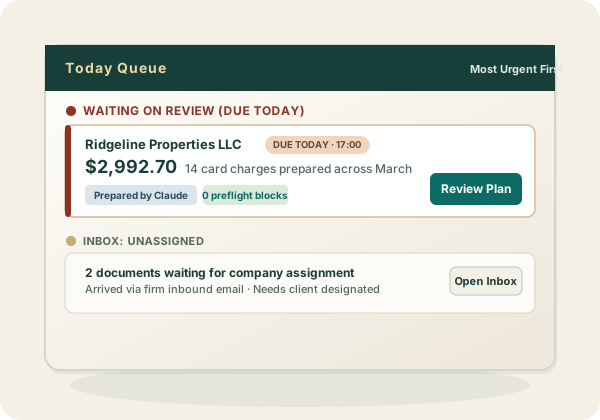
Practice priority queue showing client plans waiting on human review and unassigned inbound documents.
The practice queue: client plans waiting for a person, and documents nobody has claimed yet.

Every page of the console is documented before you sign up: tour the firm console →

The same safety for every client

The AI cannot post. Only someone at the firm can.

This is built into the software, not into a prompt. It holds for a junior preparer’s first client and for the partner’s biggest one.

  • The AI sees one client at a timeEvery request carries the firm, the client, the company and the person’s role. There is no connection that sees everything.
  • Checked before you see itNames, accounts, duplicates, dates and the client’s rules are checked against live QuickBooks before the plan reaches a reviewer.
  • Approval covers exactly what was reviewedIf anything in the plan changes before it posts, it stops and comes back for another look.
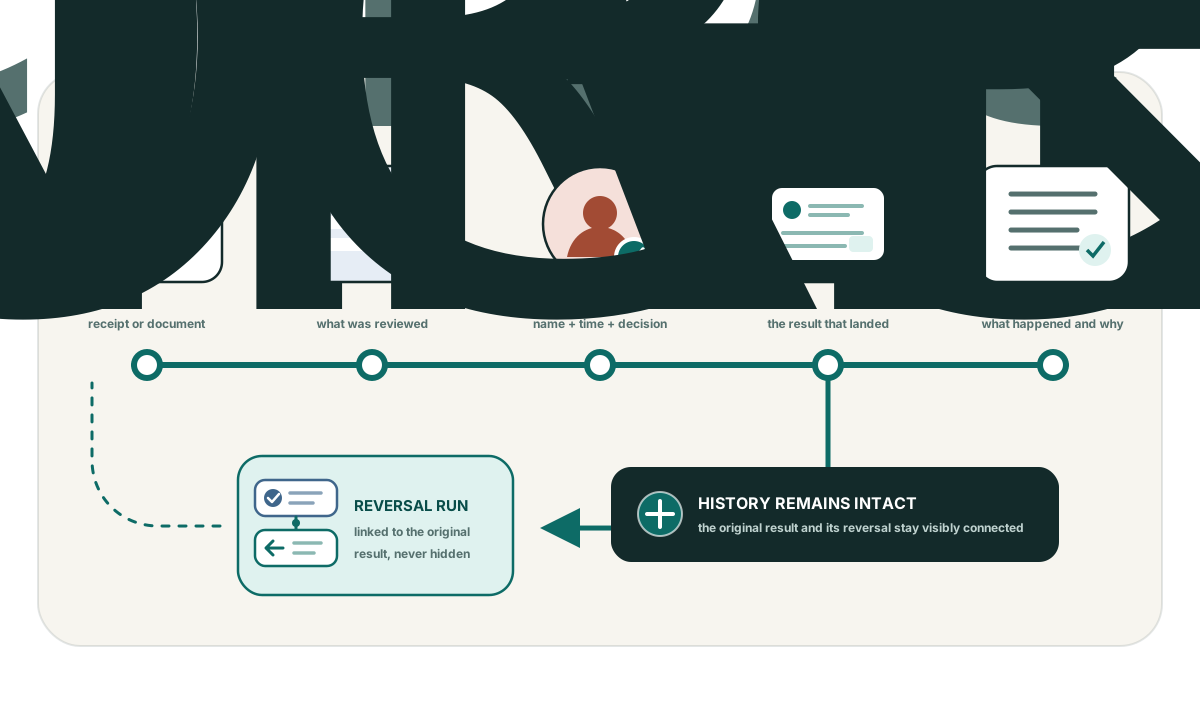
  • Everything can be traced, and posted runs can be reversedThe plan, the decision, the QuickBooks result and any reversal stay together on the record.
A continuous work record connecting source, exact plan, human verdict, ledger ID, work log, and a linked reversal run.
Firm pricing

Start at $149. Add books as the practice grows.

The base includes three client books on QuickBooks Online and everyone at the firm. Clients on QuickBooks Desktop run on the Desktop licence; their live bank feeds come through the connectors add-on on this same account, so the firm has one login and one invoice.

  • Books 4–25$29 each per month
  • Books 26–100$19 each per month
  • Books above 100$12 each per month
  • PeopleUnlimited and free, on every plan
Getting started

Connect one client. Connect your AI. Put one month through.

No setup fee and no services package. The first client is free for 14 days.

  1. 01
    Create the firm

    Name the practice and invite the people who prepare or approve work.

  2. 02
    Connect the first client

    Authorize the client’s QuickBooks Online company through Intuit.

  3. 03
    Connect your AI

    Add Zeno to Claude, ChatGPT, Codex or another supported client. Each person’s connection sees only their clients and their role.

  4. 04
    Approve one real plan

    Have the AI prepare a month, read the plan, approve it, and open the record afterwards.

FIRST CLIENT · 14 DAYS · NO CARD

Put one client’s month through before you decide.